The server sets every price
Discounts and tax are worked out in one place, so the receipt, the sale and the stock always agree.
A full till and back office in one program. Products, stock, staff and every sale live on your shop's own server.
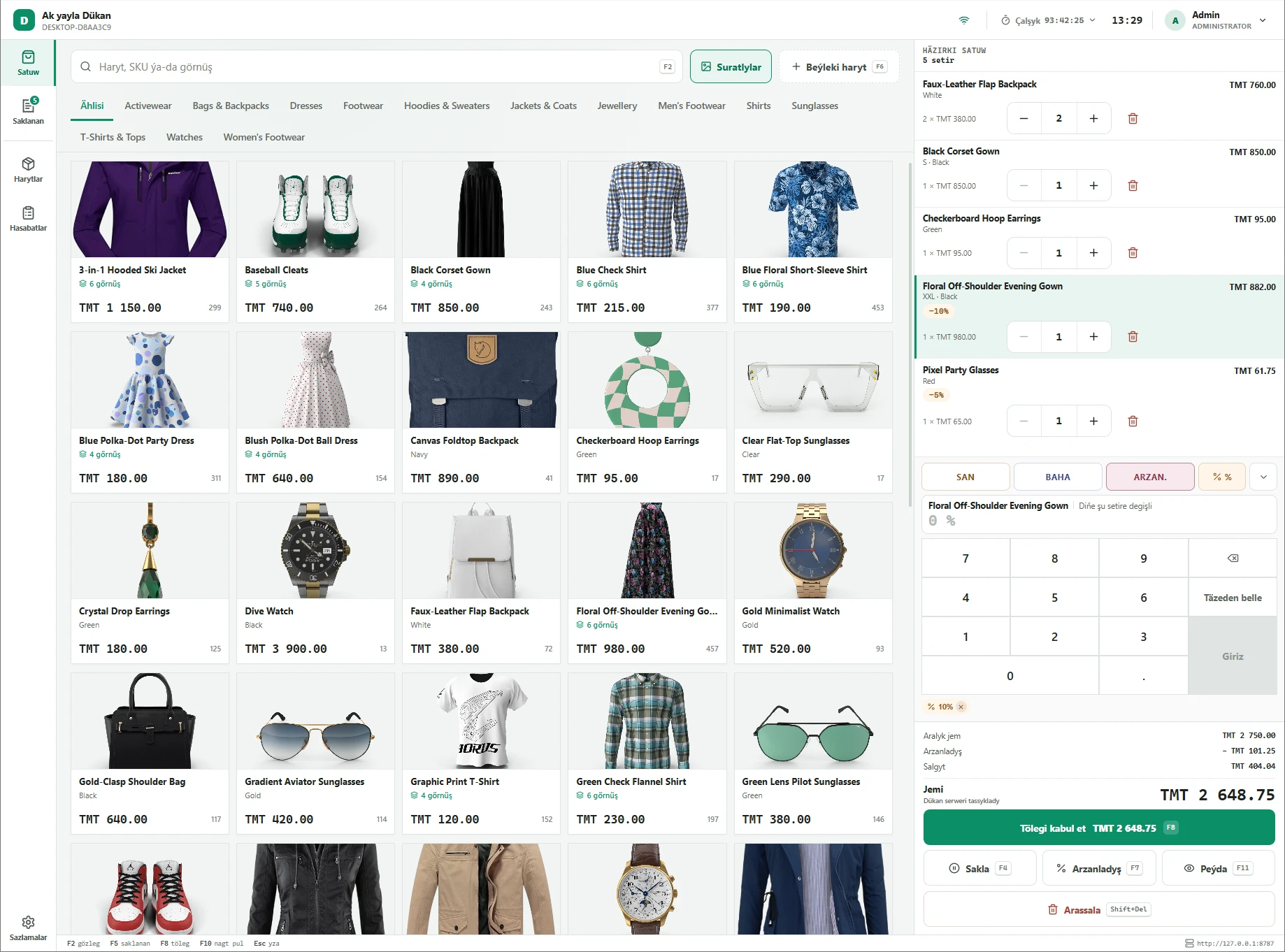
From the first scan of the morning to the counted drawer at night.
Discounts and tax are worked out in one place, so the receipt, the sale and the stock always agree.
The till and the server sit in the same shop, so a search, a scan and the total come back the moment you ask.
Split one sale across cash, card, gift card and store credit. Change is counted from the notes in your drawer.
A scan drops the item straight into the cart. The same scanner books a delivery back onto the shelf.
Set a half-finished cart aside, take the person behind, and pick it up again when the first one is ready.
Open with a counted drawer, log every pay-in and pay-out with a reason, and close on a Z report nobody can edit afterwards.
A refund returns to whatever paid. Each line is restocked or written off, with a reason and a supervisor’s PIN.
Everyone signs in with their own PIN. Discounts, refunds and margins open only for the people you allow.
Receipts on 58 or 80 mm paper, the cashier’s name on them, and a barcode the returns desk scans instead of typing.
Products, stock, deliveries, staff, tax rates and backups — behind a passcode, in the same terminal.
Takings after refunds, average basket, best sellers, the busy hours, and every discount with the name behind it.
The whole shop goes into one file every time a shift closes. A checkup screen names anything wrong in plain language.
Checkout, payment, the day's numbers, and what's on the shelf.
The grid, the cart, the total.
Point the till at your own server. That is the whole setup.
The server and the till both install on ordinary Windows PCs. The first till pairs with the code on the installer’s card.
Build the catalog inside the till itself, set the tax rates you charge, and give each person a PIN and a role.
Count the cash you are starting with. From there, every sale, refund and cash movement carries a name and a shift.
Still curious? Write to [email protected] and we'll help.
On a server in your own shop, not on somebody else’s computer. The catalog, the stock and every sale are kept there, and each till reaches it over your own network. That server does have to be switched on — it is what makes a sale real.
No. Dukan POS works on its own, and everything is managed inside the till. If you do run a Dukan online store, the till stays in sync with it, so your catalog and stock match in both places.
An ordinary Windows PC. At the counter, a USB barcode scanner and a 58 or 80 mm thermal receipt printer, plus your bank’s own card terminal. No special point-of-sale hardware.
Yes. Every till connects to the same server, so the catalog, the stock and the takings are shared. Two cashiers can never both sell the last one of something.
The whole shop — products, stock, every sale — is saved into one file each time a shift closes. Restoring takes a safety copy of the current data first, so even a wrong restore can be undone.
Gift-card balances, a bank terminal wired straight to the till, and printed barcode labels. Everything else on this page works today.
Tell us about your shop and we'll work out what you need.